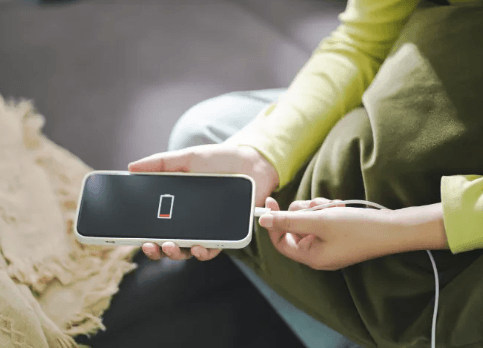
Fast game pages make a phone show its flaws quickly. A screen can look light, then lag because the browser has been open for days. A tap can feel late because mobile data keeps dropping. A page can reload badly because storage is almost full. People usually blame the site first, which is understandable. Still, the device often brings its own problems into the session. Tech readers know this from streaming apps, cloud tools, smart TV remotes, and browser-based dashboards. Speed depends on the page, but it also depends on the phone carrying it.
Fast screens need a cleaner device
Anyone opening a jetx crash game page expects quick loading, clear movement, and buttons that respond without a delay. That expectation is reasonable, but the phone needs space to function. A crowded downloads folder, a browser full of old tabs, or a low-memory device can make a simple page feel heavier than it actually is. The initial action when the screen freezes should be sensible: close unused apps, check the connection, and restart the phone if it has been running all day.
Fast play pages also depend on clean visual timing. If the phone stutters, the whole page feels less reliable. A user may see a late update, tap again, then create more confusion. That is why repeated tapping rarely helps. The better move is to stop for a second and check what the device is doing. Is battery saver active? Is Wi-Fi weak? Are other apps pulling data in the background? Those small checks often explain more than another refresh.
Signal bars do not tell the full story
A phone can show strong signal and still load slowly. Public Wi-Fi in cafés, offices, hostels, or transit areas can be crowded. A router may work well for messages but struggle with fast mobile pages. Mobile data may be better in the same spot. A VPN can also slow loading or change how the page sees location. The user sees only a frozen button, but the real issue may sit in the network path.
Tech TV users run into the same pattern with streaming. A video may buffer while the app itself is fine. The connection, router, device memory, and background traffic all affect playback. Browser games and fast pages behave the same way. Before deleting anything, test Wi-Fi and mobile data separately. If one works better, the device has already given the answer.
What to check before blaming the page
A quick session should not turn into twenty minutes of guessing. The best checks are boring, but they save time.
- Close unused apps before opening the page.
- Keep enough storage for cache and browser data.
- Test Wi-Fi and mobile data separately.
- Turn off strict battery saver during use.
- Check whether a VPN is slowing the page.
- Clear browser cache if the same issue repeats.
Privacy settings still matter
Fast entertainment pages can feel casual, but account access still needs care. A screen lock should be active. Saved passwords should not sit on shared devices. Lock-screen previews can show private alerts to people nearby. Public Wi-Fi should be avoided for private account activity, especially when personal details are involved. These habits are normal for email, wallets, cloud storage, and shopping apps. They fit fast game pages too.
Shared phones need extra caution. A family member may tap a saved page without meaning to. A child may open a notification. A guest may see an account message on the lock screen. Hidden previews, safer passwords, and logging out after use can prevent awkward problems. None of this requires advanced tech knowledge. It is basic phone hygiene.
Better setup makes short sessions easier
Fast pages work best when the phone is not fighting itself. Enough storage, a stable connection, fewer open tabs, quiet alerts, and safer login habits all make the session cleaner. The device does not have to be new. It simply needs to be less cluttered and easier to trust.